











Whether you are accessing your account for the first time or returning after a break, the login process on Helabet is straightforward once you know what to expect. This page walks through every step - from signing in and creating a new account to recovering access and understanding the partner portal. Players in Tanzania will find the practical details they need to get started or resolve common access issues without contacting support.
Logging In to Your Helabet Account
The login form sits at the top of the page and asks for two things: your registered phone number and your password. Make sure you enter the phone number in the correct format, including the country code for Tanzania (+255), otherwise the system may not recognize the account. Caps Lock being on is one of the most common reasons a correct password gets rejected, so check that first before assuming something is wrong.
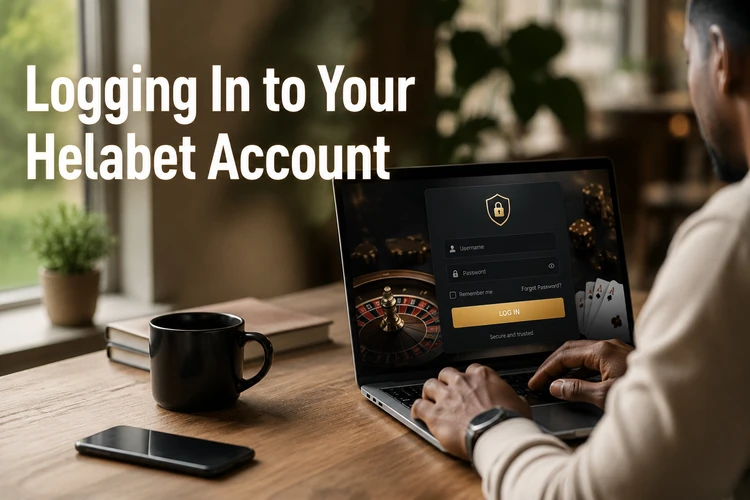
Once you submit the form, the platform verifies your credentials and loads your account dashboard. If you are on a personal device, you can allow your browser to remember the password - just avoid doing this on shared or public computers. For an extra layer of security, avoid logging in over public Wi-Fi without a VPN, and always sign out when you are done on a device that others can access.
Creating a New Helabet Account
Opening an account takes a few minutes. You will need a valid Tanzanian phone number, a date of birth confirming you are at least 18+, and a password you choose during registration. The platform sends a verification code to your phone via SMS - enter it to confirm your number and activate the account. Without completing this step, your account remains inactive and you will not be able to place bets or make deposits.

Fill in your personal details accurately from the start. Mismatches between your profile information and your payment method can cause withdrawal delays later. After verification, you land directly on your account, and you can fund it through the available payment options straight away. Keep your login credentials stored somewhere safe - a password manager is a practical choice.
A few things to keep in mind during registration:
- Phone number: must be active and able to receive SMS - this is your primary identifier on the platform.
- Password: use at least 8 characters mixing letters and numbers; avoid obvious sequences like 12345678.
- Age verification: you must be 18 or older to register and bet on Helabet.
- One account per person: creating duplicate accounts can lead to permanent suspension.
Logging In Through the Mobile App
The Helabet mobile app for Android offers the same account access as the desktop site, with the convenience of betting from anywhere. After downloading and installing the app, open it and tap the login button. Enter the same phone number and password you use on the website - there is no separate mobile account. The session stays active until you manually log out, which is useful on a personal phone but something to be careful about if others use the device.
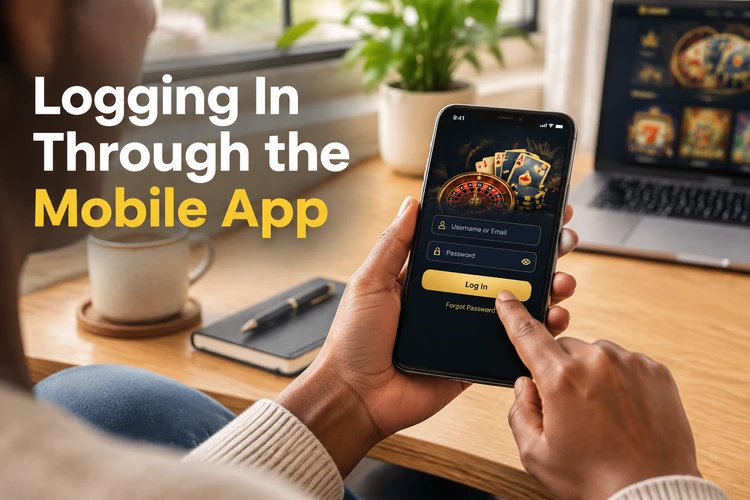
The app is designed to load quickly on most Android devices and keeps your bet history, balance, and settings in sync with the website in real time. If the app asks you to verify your identity again after an update, this is normal security behaviour - enter your credentials as usual. Biometric login, such as fingerprint access, may be available depending on your device settings.
Recovering a Forgotten Password
If you cannot remember your password, tap the «Forgot password?» link on the login screen. The recovery process sends a verification code to your registered phone number. Enter the code, then set a new password. The whole process usually takes under two minutes as long as you still have access to that phone number.
When choosing a new password, pick something you have not used on other platforms. A combination of upper and lower case letters, numbers, and a symbol makes it significantly harder to guess. If you no longer have access to the phone number registered on the account, contact customer support directly - they can guide you through an alternative identity check before resetting access.
Helabet Partners Login
The partner portal is a separate area of the platform designed for affiliates who promote Helabet and track their referral activity. Accessing it requires partner-specific credentials issued when you join the affiliate programme - your regular player account login will not work there. The portal gives partners access to statistics, commission reports, and promotional materials.
If you are interested in becoming a Helabet affiliate, the registration process for the partner programme is independent of creating a player account. Once approved, you receive a dedicated login for the partner dashboard. For questions about the programme, support can point you to the right application process.
Common Login Problems and How to Fix Them
Most access issues fall into a handful of categories, and many of them are solvable without contacting support. Here is what to check in each case:
- Wrong password: use the password recovery flow described above. Do not try more than a few times in quick succession or the account may lock temporarily.
- Account blocked: this usually follows multiple failed login attempts or a terms violation. Contact support with your registered number to request a review.
- SMS code not arriving: check that your phone has signal and that the number you registered with is still active. Some network operators delay SMS delivery by a minute or two - wait before requesting a new code.
- Page not loading: clear your browser cache or try a different browser. On mobile, switching between Wi-Fi and mobile data sometimes resolves the issue.
- Login works but balance looks wrong: log out and back in - the session may simply need a refresh. If the issue persists, reach out to support with your account details.
If none of the above resolves the problem, the Helabet support team is available to help. Have your registered phone number ready when you contact them, as it is the primary way they will verify your identity.
FAQ
You need the phone number you registered with, preferably in +255 format for Tanzania, and your account password. Both fields are required on the login screen. If you have forgotten your password, use the recovery option on the same page.
Open the registration form, enter your Tanzanian phone number, date of birth, and a password. You will receive an SMS with a verification code; enter it to activate the account. You must be at least 18 years old to register.
Yes. The Helabet app uses the same phone number and password as the website. There is no separate app account. Download the app, tap login, and enter your existing credentials.
Tap the «Forgot password?» link on the login screen. A verification code will be sent to your registered phone number. Enter the code, then set a new password. The process usually takes about two minutes.
No. The partner portal has its own separate login credentials issued when you join the Helabet affiliate programme. Your player account details will not grant access to the partner dashboard.
Accounts are typically locked after several consecutive failed login attempts or following a terms of service review. Contact Helabet customer support with your registered phone number and they will advise on the next steps to restore access.